November 20, 2026
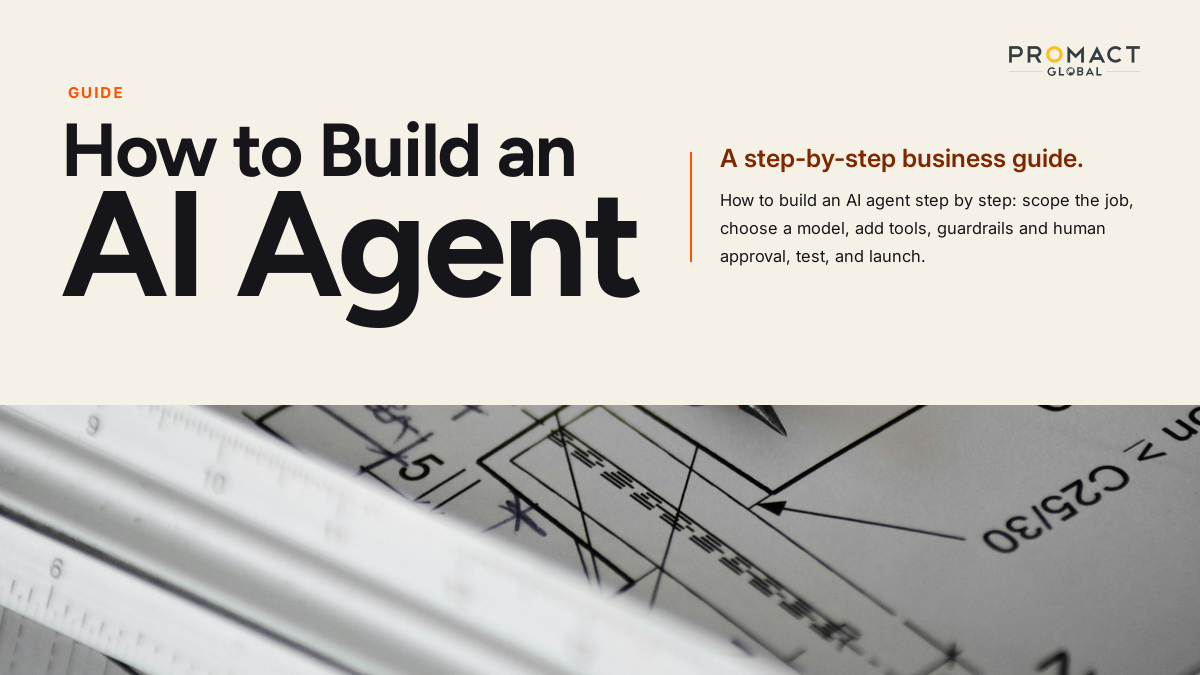
How to Build an AI Agent: A Step-by-Step Business Guide
To build an AI agent, pick one narrow job, connect a language model to the tools and data it needs, write clear instructions, add guardrails and a human approval step, test it against real cases, and release it to a small group before scaling. The code is the easy part. Most of the work is choosing the right job, wiring in your systems safely, and proving the agent is reliable.
That matters because many projects never get that far. Gartner predicts that over 40% of agentic AI projects will be canceled by the end of 2027, citing rising costs, unclear business value and weak risk controls. The teams that avoid that fate usually start small and measure early.
In this guide, we cover what an agent is made of, the eight steps to build one, which build path suits your team, a worked example from manufacturing accounts payable, and a checklist to take it live.
What Is an AI Agent, and What Is It Made Of?
An AI agent is software that uses a language model to decide what to do next, calls tools to act on that decision, and loops until the task is done. Anthropic’s engineering guidance separates workflows, where models and tools follow predefined code paths, from agents, where the model directs its own process and tool use.
Every agent, however it is built, has four parts:
Model: the language model that reasons about each step. Bigger models decide better but cost more per run.
Tools: the functions the agent can call, such as reading a database, searching documents, or creating a record in your ERP.
Instructions: the written rules for the job, including what to do when information is missing.
Guardrails and oversight: the limits on what the agent may do alone, plus the points where a person must approve.
OpenAI’s practical guide to building agents frames the same ingredients as model, tools and instructions, with guardrails and human intervention layered on top. For the architecture behind these parts, see our guide to AI agent architecture.
Do You Actually Need an Agent, or Just a Workflow?
Build an agent only when the path through the task changes from case to case. If the steps are always the same, a fixed workflow is cheaper, faster and easier to test.
Anthropic advises finding the simplest solution possible and increasing complexity only when needed, which may mean not building an agentic system at all. Use this table to decide:
| Your task looks like… | Best fit | Why |
|---|---|---|
| Same steps every time, structured inputs | Workflow or script | Predictable and cheap |
| One question answered from your documents | Single LLM call with retrieval | No loop needed |
| Variable steps, messy inputs, many systems | AI agent | The model chooses the path |
| Several distinct skills and handoffs | Multi-agent system | Only after one agent works (see multi-agent systems) |
If you are still unsure of the difference, our explainer on AI agents versus chatbots shows where each one fits.
How Do You Build an AI Agent, Step by Step?
There are eight steps, and the order matters: scope first, evaluation before launch, and oversight designed in rather than added later.
Step 1: Pick one job and define success
Choose a single, repeatable task with a clear finish line. Good first jobs are high-volume, rule-heavy and annoying for staff: matching invoices, triaging support tickets, preparing a KYC file. Write down the baseline (minutes per task, error rate, cost per task) so you can prove improvement later. Our AI readiness checklist helps you judge whether the job and the data are ready.
Step 2: Map the workflow as a person does it today
Write out every step a human takes, including the exceptions. Note which systems they open, which fields they copy, and when they ask a colleague. This map becomes your tool list and your instructions. Skipping it is the most common reason agents behave oddly in production.
Step 3: Choose the model
Start with a capable general model, then move down to cheaper ones for simple steps. Pick on accuracy for your task first, then cost and speed. Keep the model behind a thin interface so you can swap vendors; our post on vendor lock-in explains why that is worth the small upfront effort.
Step 4: Give it tools and data
Expose only the actions and data the job needs, each as a well-described tool. A tool needs a clear name, a plain-language description and strict inputs. The Model Context Protocol (MCP) gives agents a standard way to connect to tools and data, and it now sits under the Linux Foundation’s Agentic AI Foundation, which lowers the risk of betting on it. For knowledge the agent must look up, add retrieval; we compare options in RAG vs fine-tuning.
Step 5: Write the instructions
Spell out the goal, the steps, the output format and what to do when stuck. Include rules such as “if the invoice total differs from the purchase order by more than the tolerance, stop and ask a human.” Use real examples, including awkward ones. Keep revising these instructions as testing shows gaps.
Step 6: Build the loop
Start with the simplest loop that works: the model reasons, calls a tool, reads the result, and repeats until done or until it hits a step limit. You can write this directly against a model API, or use a framework such as LangGraph, CrewAI or the OpenAI Agents SDK. Set limits on steps, time and spend so a confused agent cannot run away.
Step 7: Add guardrails and human approval
Limit what the agent can do alone, and route risky actions to a person. The OWASP Top 10 for LLM Applications lists prompt injection and excessive agency among the main risks, so give the agent least-privilege access and never let text from an email or document override its rules. Require approval for payments, deletions and anything customer-facing at first. We cover the full controls in AI agent security risks and AI agent governance.
See where AI agents fit in your operations. Get a clear view of which workflows are ready for an agent and which are not. Book a free AI audit
Step 8: Test, launch small, and monitor
Test against real historical cases before any live traffic, then release to one team. Anthropic’s guidance on evaluating AI agents describes combining code-based, model-based and human graders, and running regression evals so a fix in one place does not break another. Once live, log every step the agent takes. Our guide to AI agent observability shows what to capture.
Which Build Path Should You Choose?
Choose no-code for simple, low-risk tasks, a framework when you need control, and a build partner when the agent touches core systems or regulated data.
| Path | Best for | Strengths | Watch out for |
|---|---|---|---|
| No-code tools (e.g., n8n, Make) | Simple internal tasks, prototypes | Fast, cheap, no developers | Limited control, weaker testing |
| Code with a framework or SDK | Custom logic, your own team | Full control, flexible | Needs engineers and ongoing upkeep |
| Build partner | Core systems, regulated data, tight timelines | Experience, integrations, governance | Pick one that hands over the code and documentation |
Costs vary widely by path and scope. Our breakdown of what an AI agent really costs to build and run gives directional ranges and the cost drivers to ask vendors about.
What Does a Real Build Look Like? A Manufacturing Invoice Example
Consider a mid-sized manufacturer whose accounts payable team matches supplier invoices to purchase orders by hand across email, PDFs and an ERP. This is an illustrative scenario, not a Promact client result.
The job: read each incoming invoice, find the matching purchase order, flag mismatches, and route clean invoices for payment.
Tools: an invoice reader, an ERP lookup for purchase orders and receipts, a function to post an approved match, and a function to email the supplier.
Instructions: match on PO number, then supplier and amount; accept differences within a set tolerance; for anything else, stop and hand a pre-filled summary to a clerk.
Guardrails: the agent can read the ERP but cannot release payments. A person approves every invoice above a threshold and every mismatch.
Evaluation: replay a few hundred past invoices, including messy scans and duplicates, and compare the agent’s decision to what the team actually did. Launch with one supplier group and widen only when results hold.
How Promact Helps
Promact builds custom AI agents that read documents, work inside the systems a team already uses, and hand high-stakes decisions to a person for approval. Engagements begin with a free workflow audit that maps where hours are lost, followed by a build under NDA with weekly check-ins, then a launch in one team before scaling. Every action the agent takes is logged in an audit trail.
Is Building an AI Agent Right for Your Business?
An agent is worth building when most of the signs below describe your situation:
- A task is repeated hundreds or thousands of times a month.
- Inputs are messy (emails, PDFs, scans) so fixed rules keep breaking.
- The work spans two or more systems that staff switch between.
- Mistakes are costly enough that you would want an approval step anyway.
- You can measure today’s time, cost or error rate for the task.
- You have a named owner who will review the agent’s results weekly.
If you recognize four or more, the practical next step is a short audit to choose the first workflow and set the success measure. Book a free AI audit and we will map it with you.
Frequently Asked Questions
Can I build an AI agent without coding?
Yes, for simple tasks. No-code tools such as n8n or Make let you connect a model to apps through visual workflows. For agents that touch core systems, handle sensitive data or need rigorous testing, you will usually want engineers or a build partner.
How long does it take to build an AI agent?
A narrow prototype can take days, but a production agent with integrations, guardrails and testing usually takes weeks to a few months. Scope is the main driver: one workflow ships far faster than a department-wide platform.
What is the best framework for building AI agents?
There is no single best option. LangGraph suits controlled, stateful workflows, CrewAI suits role-based multi-agent setups, and vendor SDKs are quick to start with. Choose by your team’s skills and how much control you need, and keep your logic portable.
What does it cost to build an AI agent?
Costs depend on integrations, risk level and how much testing the agent needs. Expect a one-off build cost plus ongoing model usage, hosting and monitoring. See our detailed cost guide for ranges and drivers.
How do I stop an AI agent from making mistakes?
You cannot remove all errors, but you can contain them: limit its permissions, require human approval for risky actions, test against real historical cases, and monitor every run in production.
Do I need a multi-agent system?
Usually not at first. Get one agent working reliably, and add more only when distinct skills or handoffs clearly justify the added complexity.
Sources
- Anthropic: Building effective agents - workflows vs agents and the case for simplicity
- OpenAI: A practical guide to building agents - model, tools, instructions and guardrails
- Anthropic: Demystifying evals for AI agents - grader types and regression testing
- Reuters via The Star: Gartner on agentic AI project cancellations - the 40% by 2027 forecast
- Linux Foundation: Agentic AI Foundation announcement - MCP’s move to neutral governance
- Model Context Protocol - the open standard for connecting agents to tools and data
- OWASP Top 10 for LLM Applications - prompt injection and excessive agency risks
- LangGraph documentation - framework reference
- OpenAI Agents SDK documentation - SDK reference
Have a project like this in mind?
Tell us what you're building — we'll help you scope it and ship it.
Talk to us